Klarna Won't Take Clinic Treatments? Use Humm on Shopify Instead
I have just launched Medical Skin Clinic, a Shopify store for a doctor-led skin clinic in Donegal, Ireland. It is one website with two halves: the clinic, where patients read about treatments and book a consultation, and a skincare shop with clinic-approved brands.
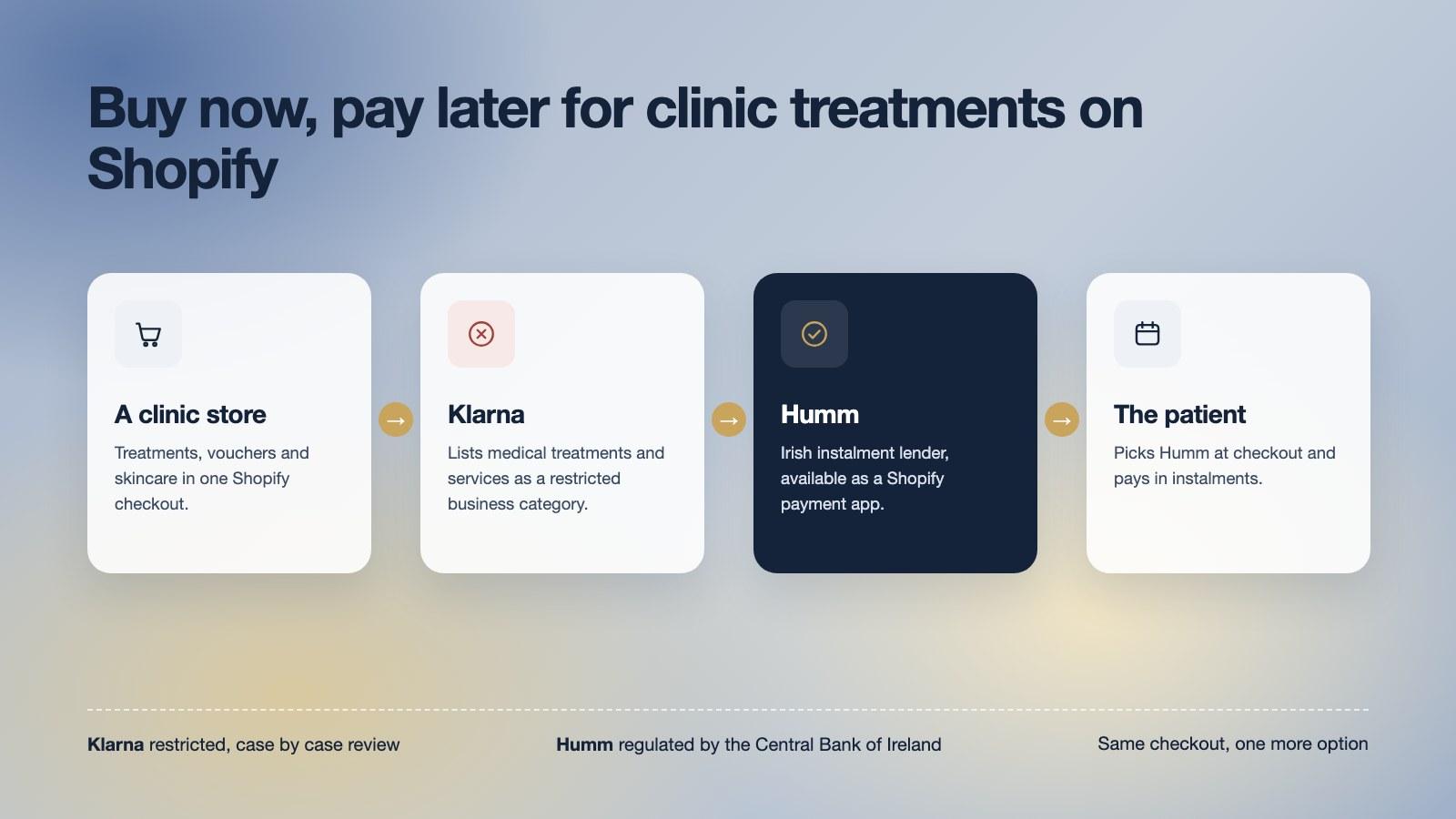
Near launch, the clinic asked for one more thing at checkout: a way for patients to spread the cost. The obvious choice was Klarna, since it comes with Shopify Payments. It did not work out for the treatment side of the business. This post explains why that happens to clinics, and how we used Humm instead.
Why Klarna is a problem for clinics
Klarna publishes a list of prohibited and restricted businesses. Medical treatments and services are on the restricted list, next to medical devices and prescription pharmacies.
Restricted does not always mean banned. Klarna says businesses in these categories may need extra checks, such as licence verification and a review of the business model, before they are approved. In practice that means:
- a skincare shop selling cleansers and SPF usually has no trouble;
- a clinic selling treatments, courses or treatment vouchers can be refused, or held in review for a long time;
- the decision is made on the business, so you cannot fix it in the theme.
Klarna's advertising rules also bar ads for medical procedures. So even where a clinic is approved, Klarna's own marketing tools will not promote the treatments.
If you build for clinics, aesthetics practices or dentists, plan for this early. Do not promise a client Klarna for treatments until Klarna has actually approved them.
What Humm is
Humm is a buy now, pay later lender that works in Ireland, the UK and Canada. In Ireland it is underwritten by FlexiFi Europe Limited and regulated by the Central Bank of Ireland. Health, beauty and clinics are a normal part of its business: several Irish clinics already offer it in person.
For the patient, it works like this:
- They apply once through Humm and get a spending limit.
- At checkout they pick Humm and are sent to Humm's page to confirm.
- They repay in instalments. Humm's own site gives the ranges: from €80 to €499.99 paid fortnightly or monthly, €500 to €999.99 over 6 to 12 months, and €1,000 and over across 24 to 72 months.
The clinic is paid by Humm, and Humm carries the repayments. That suits treatments well: a course of laser or a skin booster plan often costs more than a typical skincare basket.
Adding Humm to a Shopify store
Humm has a Shopify payment app called Humm IE, UK & CA Payment App. It adds Humm as an extra payment method in Shopify's own checkout, next to cards and Shopify Payments. There is no theme code involved. These are the steps we followed.
1. Apply with Humm as a merchant
The business applies to Humm, not the developer. Once Humm approves the clinic, it sends the merchant details the app needs, such as the merchant or client ID and a secret key. Treat these like a password: keep them out of chat threads and shared documents that many people can open.
2. The store owner installs the app
This is the step that caught us out. Payment apps can only be installed by the store owner. As a developer with a staff account, I could not install it myself, even with full permissions on everything else.
So the clinic owner installed it while logged in to their own account. If you are the developer, send the owner the app link and a short list of what to enter, and stay on a call if that helps.
3. Enter the details and choose the region
In the app's settings:
- choose Ireland as the region (the same app serves the UK and Canada);
- paste in the merchant details from Humm;
- use the test (sandbox) mode first if Humm has given test details;
- switch to Production and set the method to Active when you are ready to go live.
4. Check it in Shopify's payment settings
In Shopify admin go to Settings > Payments. Humm should now appear under the additional payment methods. Make sure it is turned on there too.
5. Test a real checkout
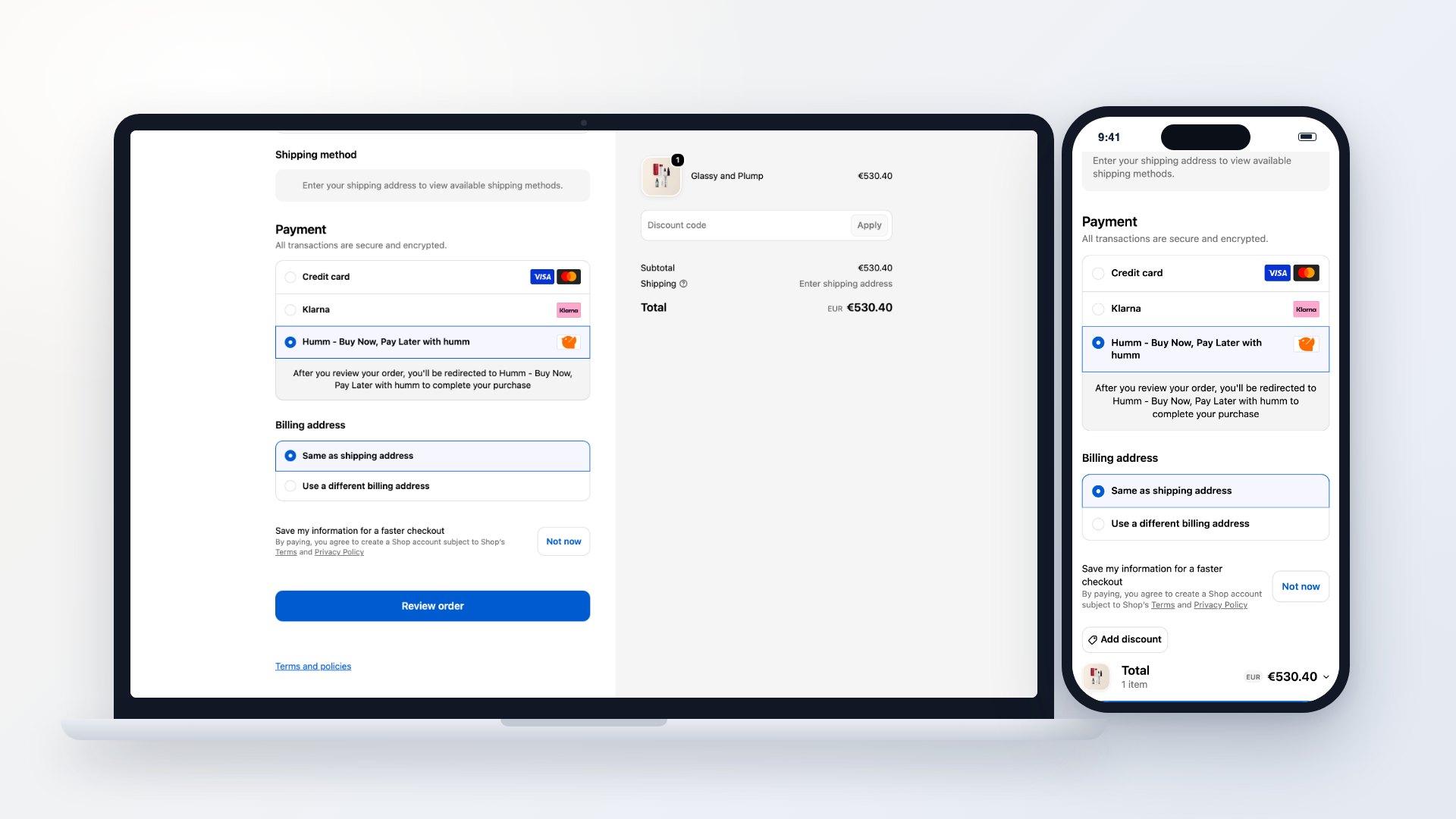
Add a product to the cart, go to checkout, and confirm Humm shows as a payment option. You do not need to finish the order to see it. On Medical Skin Clinic, Humm appeared at checkout as soon as the owner activated it, alongside Shopify Payments.
Things to check before launch
- Minimum amounts. Humm's plans start at €80. A €20 cleanser will not qualify on its own, so do not promise "pay later on everything".
- Wording. Keep it simple, for example "Spread the cost with Humm". Avoid wording that makes credit sound like a medical recommendation.
- Refunds. The app supports refunds from Shopify admin. Show the clinic staff how to do one before the first real order.
- The rest of the Shopify Payments setup. Humm sits next to Shopify Payments, not in place of it. Cards, Apple Pay and Google Pay keep working as before.
- Who supports it. Problems with an application or an instalment plan go to Humm, not to the clinic or the developer. Put Humm's contact page in the clinic's FAQ.
The takeaway
Buy now, pay later is not one product. Each lender decides which businesses it will serve, and medical treatments sit in a grey area for many of them. For a clinic in Ireland, Humm was the provider that accepted the treatment side of the business and plugged straight into Shopify's checkout.
If you are building a store for a clinic, ask about payment plans in the first meeting, check the lender's restricted list, and leave time for the owner to install the payment app. It is a small step, but only the owner can do it.