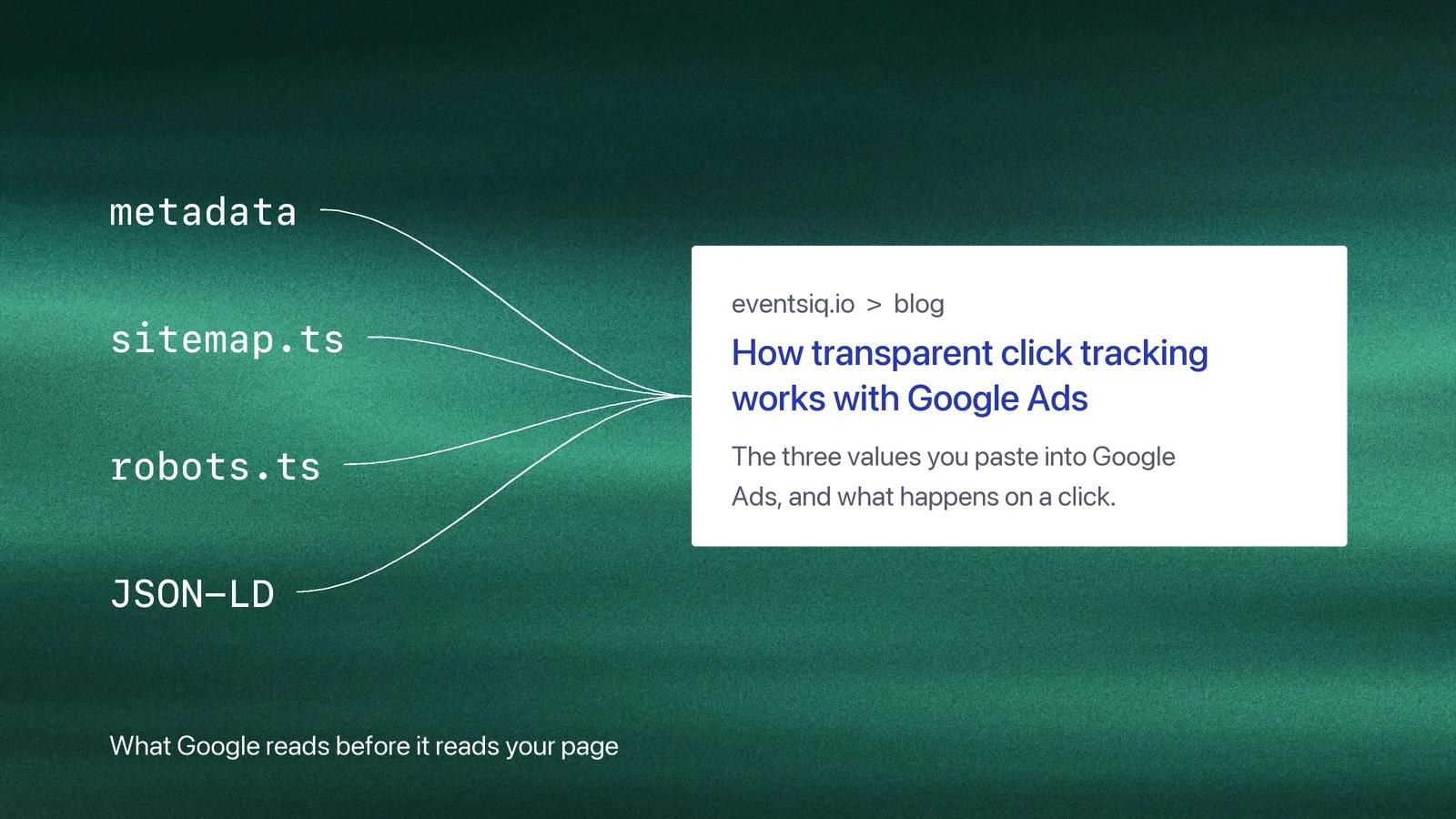
The App Router has good SEO tools built in, but they are spread over several files and it is easy to get one of them slightly wrong. This is the setup I use on the EventsIQ public site, which has a few hundred pages: features, integrations, docs, a glossary and a blog.
There are four pieces:
- Metadata for each page: title, description, canonical URL and share card.
sitemap.ts: every page you want found.robots.ts: what crawlers may fetch.- JSON-LD: structured data that tells Google what a page is.
1. One helper for every page's metadata
Each page exports metadata or generateMetadata. Rather than repeat the same fields everywhere, I use one helper:
import type { Metadata } from "next";

export function pageMetadata(input: {
  title: string;
  description: string;
  path: string;
  type?: "website" | "article";
  publishedTime?: string;
}): Metadata {
  const image = `/api/og?${new URLSearchParams({ title: input.title })}`;
  return {
    title: input.title,
    description: input.description,
    alternates: { canonical: input.path },
    openGraph: {
      type: input.type ?? "website",
      title: input.title,
      description: input.description,
      url: input.path,
      images: [{ url: image, width: 1200, height: 630, alt: input.title }],
      ...(input.type === "article" ? { publishedTime: input.publishedTime } : {}),
    },
    twitter: { card: "summary_large_image", title: input.title, description: input.description, images: [image] },
  };
}
A few things this gets right without anyone having to remember:
- Every page has a canonical URL. Relative paths work because the root layout sets
metadataBaseto the site address. - Every page has a share card.
/api/ogdraws a 1200 by 630 image from the page's title withImageResponse, so no one has to design a card per page. - Long titles stay readable. The root layout uses a title template like
%s | EventsIQ. If the title plus the suffix gets too long for search results, the helper returns{ absolute: title }and drops the suffix.
Then a page is one line:
export const metadata = pageMetadata({
  title: "Click tracking",
  description: "Record every paid click on your own domain and send each sale back to the ad network.",
  path: "/click-tracking",
});
2. A sitemap built from your content
app/sitemap.ts returns a list, and Next.js serves it as /sitemap.xml. The important part is to build it from the same data the pages use, so a new blog post or integration page is in the sitemap the moment it exists.
import type { MetadataRoute } from "next";

export default function sitemap(): MetadataRoute.Sitemap {
  const page = (path: string, priority: number, lastModified = SITE_CONTENT_UPDATED) => ({
    url: absoluteUrl(path),
    lastModified,
    priority,
  });

  return [
    page("/", 1),
    page("/pricing", 0.9),
    ...FEATURES.map((f) => page(`/features/${f.slug}`, 0.8)),
    ...DOCS.filter((d) => !d.comingSoon).map((d) => page(`/docs/${d.slug}`, 0.7)),
    ...BLOG_POSTS.map((p) => page(`/blog/${p.slug}`, 0.6, p.date)),
  ];
}
Two habits that keep it honest:
- Real dates. A blog post uses its own date. Everything else uses one constant, the day the site's copy last changed. Do not use
new Date(): if every page claims it changed today, Google learns to ignore the dates. - Leave out pages that are not ready. Docs marked "coming soon" and drafts stay out of the sitemap.
EventsIQ also serves /sitemap.txt, a plain list of the same addresses for tools that want one. It is a route handler that calls the same sitemap() function, so the two lists can never disagree.
3. robots.ts that knows about your app
app/robots.ts becomes /robots.txt. For a SaaS, the main job is keeping the signed-in app out of search.
import type { MetadataRoute } from "next";

export default function robots(): MetadataRoute.Robots {
  return {
    rules: {
      userAgent: "*",
      allow: ["/", "/api/og"],
      disallow: ["/api/", "/checkout", ...SIGNED_IN_PREFIXES],
    },
    sitemap: absoluteUrl("/sitemap.xml"),
  };
}
Lessons from getting this wrong first:
- Take the signed-in paths from the same list your auth uses. Then a new app page is kept out of search without a second edit.
- Allow
/api/ogeven though/api/is blocked. X and other sites read robots.txt before fetching a share image. Block it and your cards disappear. - Do not block pages you want removed. Use
noindexinstead. A blocked page can still appear in search as a bare address, because Google cannot fetch the page to see itsnoindex. Sign-in and register pages are allowed in robots and carryrobots: { index: false }in their metadata. - One app on two hosts? If the site is
www.and the dashboard isapp.,robots.tscan read thehostheader and returndisallow: "/"on the app host.
4. JSON-LD, safely
Structured data is a <script type="application/ld+json"> tag. A tiny component is enough:
export function JsonLd({ data }: { data: Record<string, unknown> | Record<string, unknown>[] }) {
  return (
    <script
      type="application/ld+json"
      dangerouslySetInnerHTML={{ __html: JSON.stringify(data).replace(/</g, "\\u003c") }}
    />
  );
}
The .replace(/</g, "\\u003c") matters. If any string in the data contains </script>, for example a title someone typed, it would close the tag early and open the page to script injection. Escaping < makes that impossible, and the JSON still means the same thing.
Then add small builders for the types you need. On EventsIQ that is:
- Organization and WebSite on every page, from the root layout.
- SoftwareApplication on the home page and feature pages.
- BlogPosting and TechArticle for blog posts and docs.
- BreadcrumbList on nested pages.
- FAQPage where a page has real questions and answers.
- VideoObject for the guide videos.
Only describe what is really on the page. Structured data that does not match the visible content can be ignored, or worse.
A quick check before you ship
- Open
/sitemap.xmland/robots.txton a preview deploy and read them. - Paste a page into Google's Rich Results Test to check the JSON-LD.
- Share a link in a private chat to see the card.
- View the page source and check the
<link rel="canonical">.
Takeaways
- One metadata helper, so every page gets a canonical URL and a share card.
- Build the sitemap from your content, with real dates.
- Keep the app out of search with robots, but use
noindexfor pages you want removed. - Escape
<in JSON-LD, and only describe what is on the page.
Let's Work Together
If you want your Next.js site set up for search, contact me here: LinkedIn