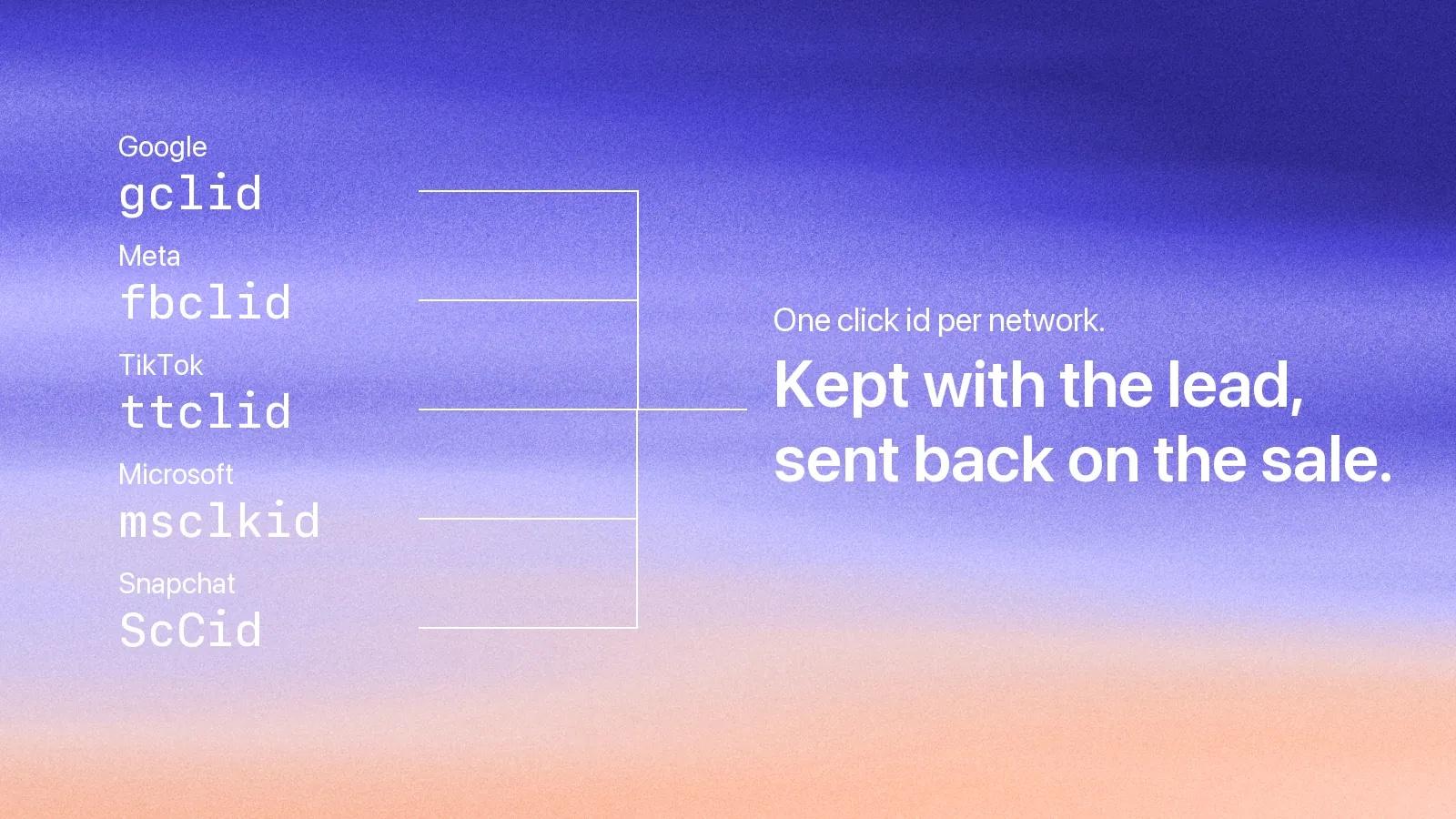
When someone clicks an ad, the ad network adds a long random value to the landing page address. That value is the click id. It is the network's own name for that one click, and it is the most reliable way to tell the network later: "the person from this click became a customer."
I work with these ids every day while building EventsIQ, a lead routing and conversion tracking platform. This post covers what each network sends, where to find it, and how to send it back.
The short version
- Google Ads:
gclid, orgbraid/wbraidon iOS. Sent back through the Data Manager API. - Meta:
fbclidon the URL, kept by the pixel in the_fbccookie. Sent back through the Conversions API. - TikTok:
ttclidon the URL, plus the pixel cookie_ttp. Sent back through the Events API. - Microsoft Ads:
msclkid. Sent back as an offline conversion. - Snapchat:
ScCid. Sent back through the Snapchat Conversions API.
Each one is different in small ways, and those small ways are where conversions get lost.
Google: gclid, gbraid and wbraid
With auto-tagging on, Google adds gclid to the landing page URL. For some iOS traffic you get gbraid (app to web) or wbraid (web to web) instead, because Apple limits tracking there.
Two rules I learned the hard way:
- If a lead has both a
gclidand agbraid, send both. Google recommends it. gbraidandwbraiddo not go together. Send one,gbraidfirst.
There is also a catch with custom variables: Google only accepts them on a conversion that carries just a gclid. If the event also has hashed contact details or an iOS id, adding custom variables can get the whole conversion rejected. So the safe move is to drop the extras rather than lose the sale.
Meta: fbclid and the _fbc cookie
Meta adds fbclid to the URL. The Meta pixel then saves it in a cookie called _fbc, in this format:
fb.1.<click time in milliseconds>.<fbclid>When you send a conversion through the Conversions API, Meta wants this fbc value, not the bare fbclid. If the visitor has the real _fbc cookie, use it as it is. The time inside it is the moment Meta saw the click, and that is what Meta matches against. If there is no cookie (for example the pixel is not on the page), you can build the value yourself from the fbclid on the URL, with the current time.
_fbp is a different cookie. It names the browser, not the click. Send it too when you have it.
Instant forms (Meta lead ads) are different again. Nobody visits a page, so there is no fbclid at all. Instead Meta gives each lead a leadgen id, and that is the key you send back.
TikTok: ttclid and _ttp
TikTok adds ttclid to the URL. The TikTok pixel sets a browser cookie called _ttp. Both go to the Events API as they are, without hashing. Email and phone are hashed, but these ids are not.
For TikTok instant forms, the strong key is TikTok's own lead_id, the same idea as Meta's leadgen id.
Microsoft Ads: msclkid
With auto-tagging on, Microsoft adds msclkid. You report the sale as an offline conversion against a conversion goal you create in Microsoft Ads. Since enhanced conversions, you can also send a SHA-256 hashed email or phone. Phone has to be in E.164 format (a plus sign, the country code, then the number) before it is hashed, or it simply will not match.
Snapchat: ScCid
Snapchat adds ScCid to the URL. Note the capital letters: if your code lowercases query keys and then looks for ScCid, it will never find it. It goes to the Snapchat Conversions API as sc_click_id, unhashed.
Why keep the click id with the lead
A click id is only useful if it is still attached to the person when the sale happens. In lead generation, that can be minutes or days later, and often in a different system (a buyer's CRM).
So the first job is simple: when the form is submitted, save every click id you saw on the page on the lead record. In EventsIQ the form remembers the click for 90 days, so a visitor who comes back next week still carries it.
A second rule: a click should fill gaps, never overwrite. If the lead already has a campaign id from the page, an older click in the browser must not replace it. A visitor can come back through a newer ad while an old click id is still stored.
Why send it back from the server
The pixel in the browser can report a form fill. It cannot report a sale that happens later in someone else's CRM. It also misses a lot: ad blockers, iOS limits and cookie consent all cut into what a browser pixel sees.
Sending the conversion from your server fixes both problems:
- You report the real outcome. "Sold for $42" is far more useful to the ad network's bidding than "filled a form."
- Nothing in the browser can block it. The server already has the click id saved on the lead.
- You control what is sent. Personal details are hashed before they leave, and only what the network needs goes out.
The pattern is the same on every network: capture the click id on the page, keep it on the lead, and when the lead sells, send the network its own id back with the sale value.
In the next posts I cover how a custom tracking domain records the click and how the conversion APIs work, with hashing and deduplication.
Let's Work Together
If you need click tracking or conversion APIs built into your product, contact me here: LinkedIn