Freelance service
Shopify Speed Optimization and Bug Fixing
I make slow Shopify stores fast and fix the bugs that cost sales: Core Web Vitals, heavy images and scripts, leftover app code, and broken add to cart, cart drawer, variant and mobile issues. Every change measured before and after.
A slow store loses buyers before the page finishes loading, and a cart bug loses them at the last step. Both are usually caused by the same few things: oversized images, scripts from apps you no longer use, and theme code that loads everything on every page.
I start by measuring, fix the changes that matter most first, and show you the before and after numbers. I work on a duplicate theme, so your live store keeps selling while I work.
Who this is for
- Stores with poor Core Web Vitals or a low PageSpeed score on phones
- Stores that feel slow after years of installing and removing apps
- Merchants with a bug in add to cart, the cart drawer, variants, discounts or checkout
- Stores getting ready for Black Friday, a launch or a big ad campaign
What's included
Speed audit
Lab and field data from PageSpeed Insights and Chrome's real-user data, page by page, with a ranked list of what is slowing the store down.
Core Web Vitals fixes
Largest Contentful Paint, Interaction to Next Paint and layout shift fixed at the source: image sizes and formats, preloading the hero, deferring scripts and reserving space.
App and script clean-up
Code left behind by uninstalled apps removed, heavy apps replaced with lighter code where it makes sense, and third-party scripts loaded only where needed.
Theme code clean-up
CSS and JavaScript split so each page loads only what it uses, render-blocking files removed, and Liquid loops that slow the server tidied up.
Cart and checkout bug fixes
Add to cart, cart drawer, variant pickers, quantity and discount bugs found and fixed through the Cart API, tested on real phones and browsers.
Before and after report
A short report with the scores and timings before and after, what changed, and what to watch when you install new apps.
How it works
- 1
Measure
Audit your key pages (home, collection, product, cart) on phone and desktop and agree which numbers we are moving.
- 2
Fix on a duplicate theme
All changes made on a copy of your live theme with a preview link, so nothing breaks for shoppers while I work.
- 3
Test
Every page and the full buying path checked on real phones and browsers, including discounts, variants and the cart drawer.
- 4
Publish and report
The faster theme published at a quiet time, with the old one kept for instant rollback, and a before and after report.
Recent work
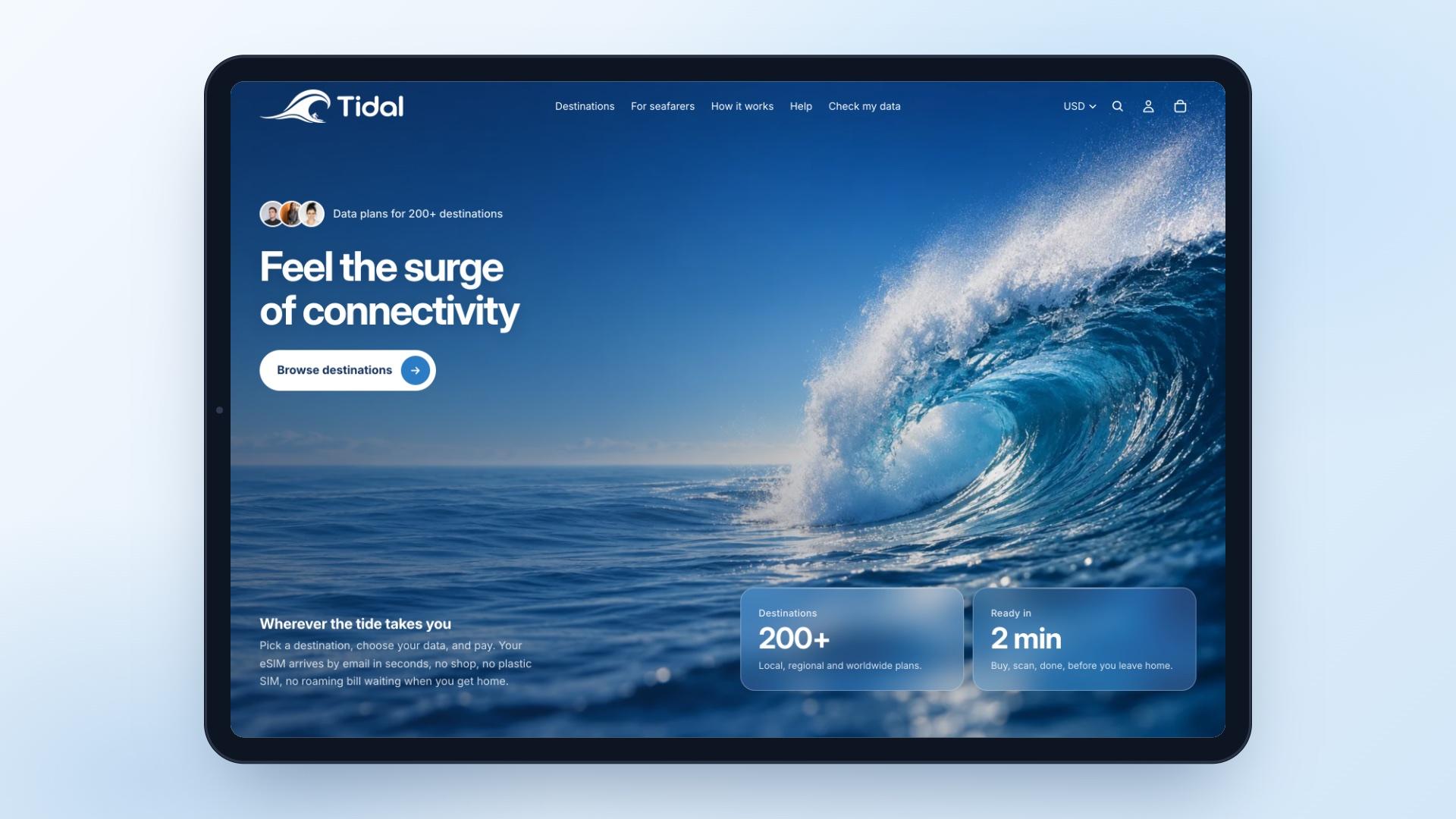
Tidal eSIM - Travel eSIM Store with Automated Fulfilment
A complete travel eSIM business on Shopify: 217 destinations and 2,040 data plans synced live from the Airalo Partner API, a custom Horizon storefront, and a Cloudflare Worker that buys and delivers each eSIM within seconds of payment. It also adds live data-usage tracking, low-data emails, multi-currency pricing and affiliate codes, all within the supplier's pricing rules.
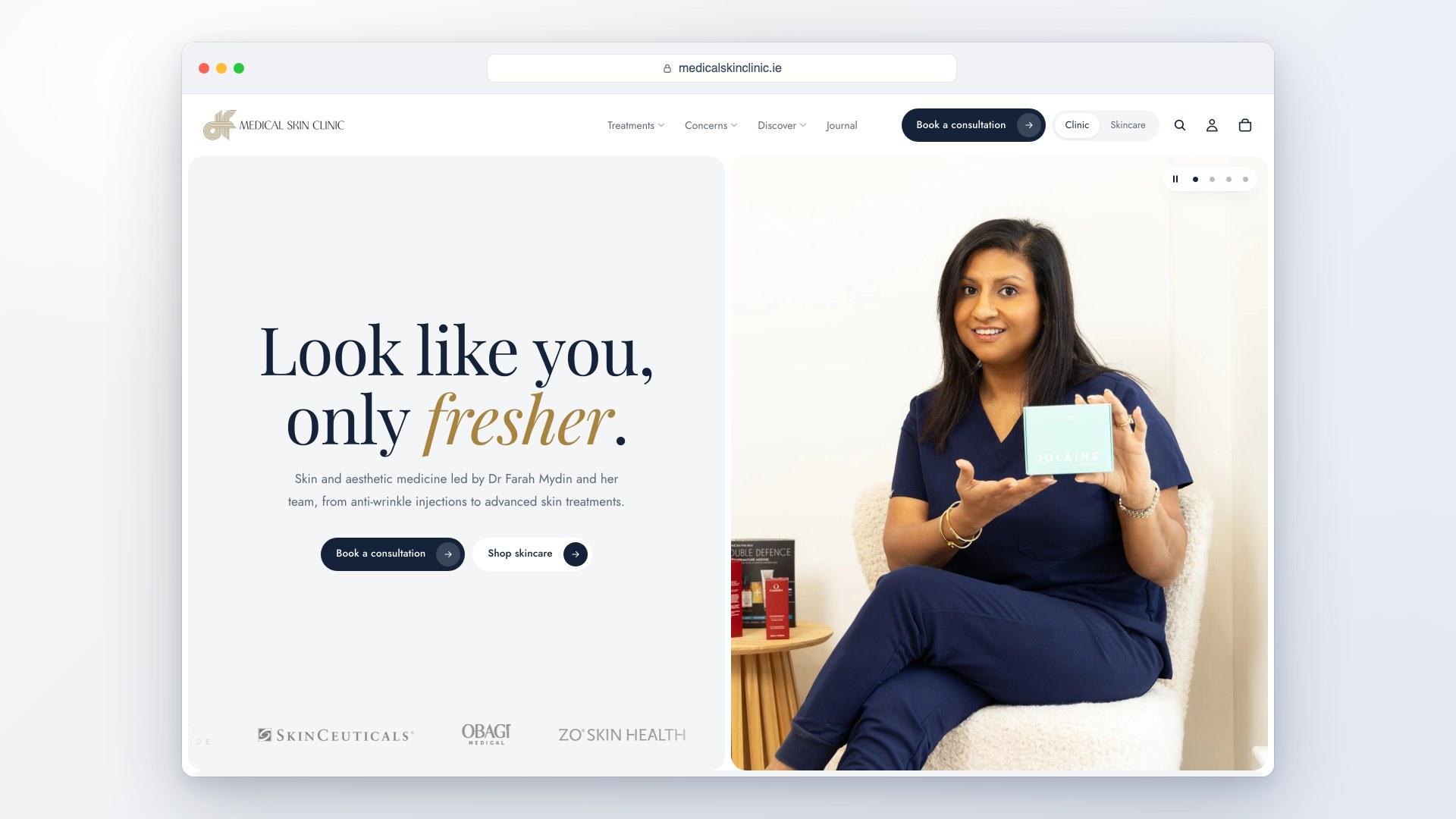
Medical Skin Clinic - Doctor-Led Clinic and Skincare Shop on Shopify
One Shopify store for an Irish skin clinic with two halves: a clinic site where every treatment page leads to a consultation, and a skincare shop with clinic-approved brands. Built on Horizon with 58 custom sections, 67 page templates driven by page metafields, curated routines sold as kits, grouped collection pages, and buy now, pay later through Humm. Launched on medicalskinclinic.ie with 239 redirects from the old WordPress site.
Tools I use
Frequently asked questions
Will speed work break my store?+
No. I work on a duplicate of your live theme and only publish it after testing every key page and the full buying path. The old theme is kept so it can be restored in one click.
Can you guarantee a 100 PageSpeed score?+
No honest developer can, because Shopify's own checkout scripts and the apps you need both count against the score. What I do guarantee is measured improvement on the numbers that affect sales, with before and after figures for each page.
Do I need to remove my apps?+
Not usually. Often the biggest win is removing code from apps you already uninstalled, and making the apps you keep load only on the pages that use them. If an app is very heavy, I suggest a lighter option and you decide.
How long does a speed optimization take?+
A typical audit and fix takes three to seven working days, depending on the theme and the number of apps. Single bug fixes are often done within a day.
Can you fix just one bug?+
Yes. Send me the store, the page and what goes wrong, and I will tell you what is causing it and a fixed price to fix it.
Further reading
Have a project in mind?
Tell me about your store and what you need, and I'll come back with questions or a fixed quote.
Contact me